
Church Membership Form Template: What to Ask and Keep Private
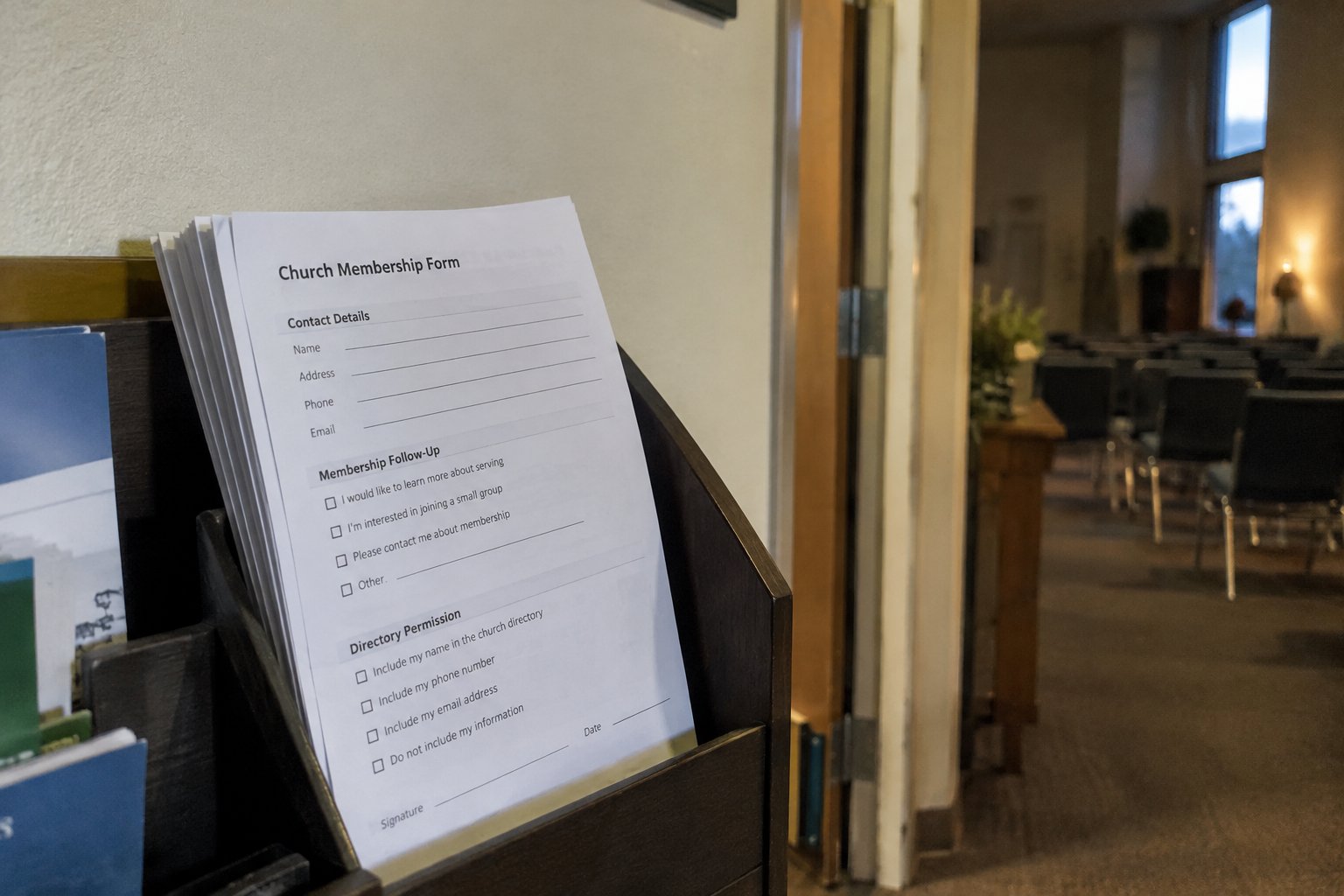
A church membership form should collect enough information to identify someone, contact them, and follow up on joining the church. Start with names, contact preferences, and the reason for submitting the form. Add other questions only when your church has a clear purpose for the answers.
The printable template below is a starting point, not a universal membership application. Before using it, have the person responsible for membership review the wording, required fields, and privacy notice. Keep directory permission separate from the request to join.
Decide what the form actually does
Choose a clear purpose: requesting information about membership, beginning a membership process, registering with the parish, or updating an existing record. Put that purpose near the top rather than leaving the office to interpret every submission.
Do not label someone a member solely because they completed this generic form. Membership categories and admission procedures need to match your tradition and governing documents. For example, the United Methodist Church distinguishes baptized membership from professing membership in its definition of membership. That distinction should not be replaced by a single generic checkbox. (umc.org)
For your local version, ask the pastor, priest, membership secretary, or other authorized leader to specify:
- What happens after the form is returned.
- Which membership or registration categories the office uses.
- Who verifies previous church or sacramental information.
- Who authorizes a status change and records its effective date.
What to ask on a church membership form
Use the following as a recommended starting point. Mark optional questions clearly, and explain any additional required fields.
| Field | Suggested treatment | Purpose |
|---|---|---|
| Full name and preferred name | Request both; preferred name optional | Identify the person and address them appropriately |
| Reason for submitting | Include simple choices | Separate new inquiries from record updates |
| Email or telephone | Ask for a preferred contact method | Arrange follow-up without requiring every channel |
| Mailing address | Request when needed for church correspondence | Keep postal communications accurate |
| Household connections | Optional; confirm with each adult | Link records without assuming relationships |
| Birthday month and day | Optional, if birthday greetings are offered | Avoid collecting a birth year just for greetings |
| Full birth date | Add only for a defined records or program need | Explain the reason and restrict access |
| Previous church | Ask only when relevant to membership follow-up | Support a transfer or records conversation |
| Ministry interests | Optional | Offer a useful next step |
| Directory permission | Separate, affirmative choice | Specify which details may be shared |
Prefer one form per adult, with a separate household section when useful. Let adults choose their own contact details and sharing preferences. Do not assume that a shared address means a shared surname, inbox, or permission to disclose information.
For children, use a parent or guardian contact for this intake process. Collect program-specific details through a separate children's ministry registration process. Keep children's contact details and dates of birth out of the general directory by default.
Keep church-history questions focused
If the church needs baptism, confirmation, reception, or transfer information, add a short section approved by the responsible leader. Allow an answer such as "Please contact me" rather than forcing someone to guess a date.
Use a private follow-up for supporting documents. Do not add a broad "Tell us your spiritual history" box unless someone has a defined responsibility for receiving and protecting those responses.
What not to collect
The FTC recommends collecting only information needed for a legitimate purpose and avoiding unnecessary sensitive identifiers. Its personal information guide is written for businesses; use these principles as security guidance, not as a claim that every business rule applies to churches. (ftc.gov)
For this general membership intake form, leave out:
- Social Security numbers, driver's license numbers, and identification scans.
- Bank details, payment card information, income, and giving history.
- Medical histories, diagnoses, and insurance details.
- Counseling accounts, family disputes, and detailed pastoral concerns.
- Background-check questions intended for a separate volunteer screening process.
Replace an unrestricted "Anything else?" field with "Would you like someone to contact you privately?" Provide a safe way to arrange that conversation. Avoid making the membership database a collection of sensitive personal stories.
Explain privacy before someone signs
Place a short notice beside the submission or signature area. Explain the purpose of collection, which authorized roles use the information, how directory sharing works, and where someone can request a correction.
Use separate choices for routine email announcements and directory inclusion. For directory permission, identify both the audience and the fields: a member-only directory is different from a public webpage. For this template, leave people out unless they affirmatively choose inclusion. Treat photography and public publication as separate decisions.
Do not promise absolute confidentiality or immediate deletion of all records. Have the final notice checked against your actual practices. Ask a qualified adviser about applicable state privacy requirements; ask your denominational office about its own rules.
For storage and access, the FTC's Start with Security guide recommends limiting information access to those who need it and using controls such as separate user accounts and locked storage. Apply that approach to completed forms, exported spreadsheets, and volunteer access. (ftc.gov)
Build a simple intake and update routine
Assign one record owner and a backup. United Methodist membership secretary guidance provides one denominational example of a designated person working with the pastor to maintain accurate rolls. Use your own church's assigned roles and procedures. (umcdiscipleship.org)
A suggested workflow is:
- Receive the form through a designated office contact or approved online process.
- Check for an existing record before creating another one.
- Confirm unclear names, contact details, and household relationships privately.
- Enter only the information needed for the approved purpose.
- Record communication choices and directory permissions separately.
- Route membership questions to the authorized leader; leave status pending until confirmed.
- Record who entered the information and when it was last verified.
Set an annual contact-review reminder as a practical office routine. Ask people to confirm their own details, not a circulated spreadsheet containing everyone else's. Process corrections throughout the year rather than saving them for the next review.
Keep mailing-list changes separate from formal membership changes. A returned envelope should prompt verification, not an automatic removal from the membership roll.
Keep the right records, not every duplicate
Separate the completed intake form from the official record it helps create. The Archdiocese of Seattle's parish retention schedule distinguishes temporary update materials from permanent records and addresses suspending destruction during litigation holds. This is a local denominational policy, not a universal church retention schedule. (archseattle.org)
Before destroying forms, use a written schedule approved for your church. Confirm whether the form documents an approval or permission that must be preserved. Check denominational requirements and applicable state law with the appropriate advisers, and do not destroy material subject to a preservation hold.
Before you print or publish
- The form's purpose and next step are clear.
- Required fields have an identified purpose.
- Optional fields are labeled.
- Each adult can make separate sharing choices.
- Sensitive pastoral and financial information stays off the form.
- The privacy notice matches actual office practices.
- A named person handles corrections and follow-up.
- Membership decisions and retention rules have local approval.
Doing this in Chapel Desk
Chapel Desk groups member records into families and stores contact details, membership status, and notes. Members with portal access can update their own profiles, and role-based team access helps the church delegate recordkeeping.
Sources
- United Methodist Church: Book of Discipline, Paragraph 215, Definition of Membership
- Federal Trade Commission: Protecting Personal Information, A Guide for Business
- Federal Trade Commission: Start with Security, A Guide for Business
- Discipleship Ministries: Membership Secretary
- Archdiocese of Seattle: Parish Retention Schedule